Angular シグナル
シグナルは値やオブジェクトをラップして機能追加や制限などができるようになります。- 変更通知
- 計算時に計算結果のキャッシュ
- 画面連携
- 双方向バインディング
- 必須指定
- 初期セット時の値変更
親子関係がシグナル適用前のソースなので参考にしてください。
signal、computed
src\app\app.component.ts
import { Component, computed, effect, signal } from '@angular/core';

@Component({
  selector: 'app-root',
  template:
    `<h1>{{val()}}</h1>
    <button (click)="clickPlus()" [disabled]="!this.valCheck()">+1</button>
    <button (click)="clickClear()">clear</button>
    `
})
export class AppComponent {

  val = signal(1);
  valCheck = computed(() => this.val() < 5);

  clickPlus() {

    this.val.update(oldValue => oldValue + 1);
  }

  clickClear() {

    this.val.set(0);
  }

  constructor() {

    effect(() => {
      console.log(`effect: ${this.val()}`);
    });
  }
}
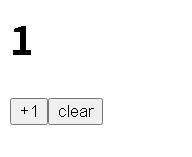
signalが書き込み可能なシグナルで、computedが算出シグナル(計算用、書き込み不可)になります。
signalはupdateで値の更新、setで値の洗い替えを行います。
値が変わったらeffectが呼び出されます。
input
シグナルなし版はこちらapp\child\child.component.ts
import { Component, input } from '@angular/core';
@Component({
  selector: 'app-child',
  template:
    `<h1>{{childMsg()}}</h1>`
})
export class ChildComponent {
  childMsg= input('');
}
src\app\app.component.ts
import { Component } from '@angular/core';
import { ChildComponent } from './child/child.component';

@Component({
  selector: 'app-root',
  imports: [ChildComponent],
  template:
    `<input #hello (keyup)="keyupEvent(hello.value)" placeholder="ここに入力" />
    <app-child [childMsg]="parentMsg"></app-child>`
})
export class AppComponent {

  parentMsg = "ここに表示されます。";

  keyupEvent(value: string) {
    this.parentMsg = value;
  }
}

input()関数はInputSignal<T>(書き換え不可シグナル)を返します。
引数が初期値になると同時に型も判断します。
InputSignalは@Input()の代わりになります。
model
シグナルなし版はこちらapp\child\child.component.ts
import { Component, model } from '@angular/core';
@Component({
  selector: 'app-child',
  template:
    `<input [value]="childVal()" />
    <button (click)="clickPlus()">Child(+1)</button>
    `
})
export class ChildComponent {

  childVal = model(0);

  clickPlus() {

    this.childVal.update(oldValue => oldValue + 1);
  }
}
src\app\app.component.ts
import { Component, signal } from '@angular/core';
import { ChildComponent } from './child/child.component';

@Component({
  selector: 'app-root',
  imports: [ChildComponent],
  template:
    `<app-child [(childVal)]="parentVal"></app-child>
    <h1>{{parentVal()}}</h1>
    <button (click)="clickMinus()">Parent(-1)</button>
    `
})
export class AppComponent {

  parentVal = signal(1);

  clickMinus() {

    this.parentVal.update(oldValue => oldValue - 1);
  }

}
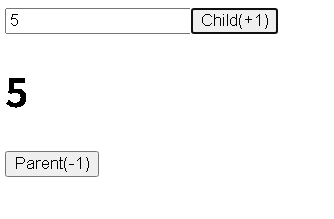
model()関数はModelSignal<T>(書き換え可能シグナル)を返します。
ModelSignalは@Input()、@Output()の代わりになります。
ページのトップへ戻る