JavaScriptでダイアログ表示
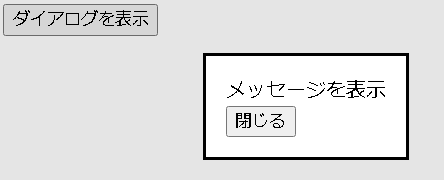
JavaScriptでダイアログを表示してみます。dialogタグで表示
dialogタグでダイアログを記述し、showModal()で表示します。
<!DOCTYPE html>
<html>

<head>
  <meta charset="UTF-8">
  <title>JavaScriptのテストページ</title>
</head>

<body>
  <dialog id="dialog1">
    <div>
      メッセージを表示
    </div>
    <button onclick="closeDialog()">閉じる</button>
  </dialog>

  <button onclick="showDialog()">ダイアログを表示</button>
</body>

<script type="text/javascript">

  const dialog = document.getElementById("dialog1");

  function showDialog() {
    dialog.showModal();
  }

  function closeDialog() {
    dialog.close();
  }

</script>

</html>
dialogタグでメッセージ入力
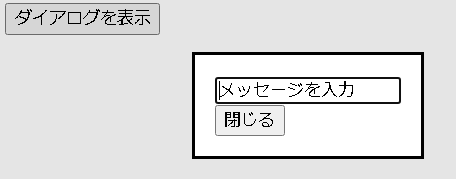
ダイアログで入力した内容を元の画面で表示してみます。
<!DOCTYPE html>
<html>

<head>
  <meta charset="UTF-8">
  <title>JavaScriptのテストページ</title>
</head>

<body>
  <dialog id="dialog1">
    <div>
      <input type="text" id="txt" value="メッセージを入力" />
    </div>
    <button onclick="closeDialog()">閉じる</button>
  </dialog>

  <button onclick="showDialog()">ダイアログを表示</button>
  <div id="msg"></div>
</body>

<script type="text/javascript">

  const dialog = document.getElementById("dialog1");

  function showDialog() {
    dialog.showModal();
  }

  function closeDialog() {
    document.getElementById("msg").innerText = document.getElementById("txt").value;
    dialog.close();
  }

</script>

</html>
window.openでダイアログ表示表示
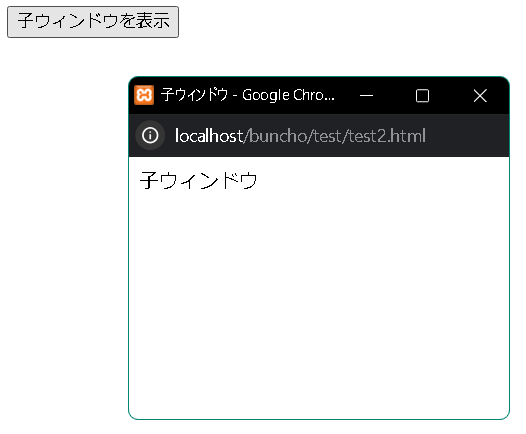
ダイアログ用のHTMLを用意しておき、window.openでダイアログを表示します。window.openの3番目の引数にダイアログ情報をセットするか、popupを指定するとダイアログになります。
test.html
<!DOCTYPE html>
<html>

<head>
  <meta charset="UTF-8">
  <title>JavaScriptのテストページ</title>
</head>

<body>
  <button onclick="show()">子ウィンドウを表示</button>
</body>

<script type="text/javascript">

  function show() {

    const top = window.screenTop + (window.innerHeight / 2) - (200 / 2);
    const left = window.screenLeft + (window.innerWidth / 2) - (300 / 2);
    const windowFeatures = "left=" + left + ",top=" + top + ",width=300,height=200";

    var win = window.open("./test2.html", "target", windowFeatures);

    if (!win) {
      alert("ウィンドウ表示に失敗しました")
    }
  }

</script>

</html>
<!DOCTYPE html>
<html>

<head>
  <meta charset="UTF-8">
  <title>子ウィンドウ</title>
</head>

<body>
  子ウィンドウ
</body>

</html>
window.openでタブ表示
window.openの3番目の引数を指定しないとタブで開かれます。
<!DOCTYPE html>
<html>

<head>
  <meta charset="UTF-8">
  <title>JavaScriptのテストページ</title>
</head>

<body>
  <button onclick="show()">子ウィンドウを表示</button>
</body>

<script type="text/javascript">

  function show() {

    var win = window.open("./test2.html");

    if (!win) {
      alert("ウィンドウ表示に失敗しました")
    }
  }

</script>

</html>
window.openでデータ連携
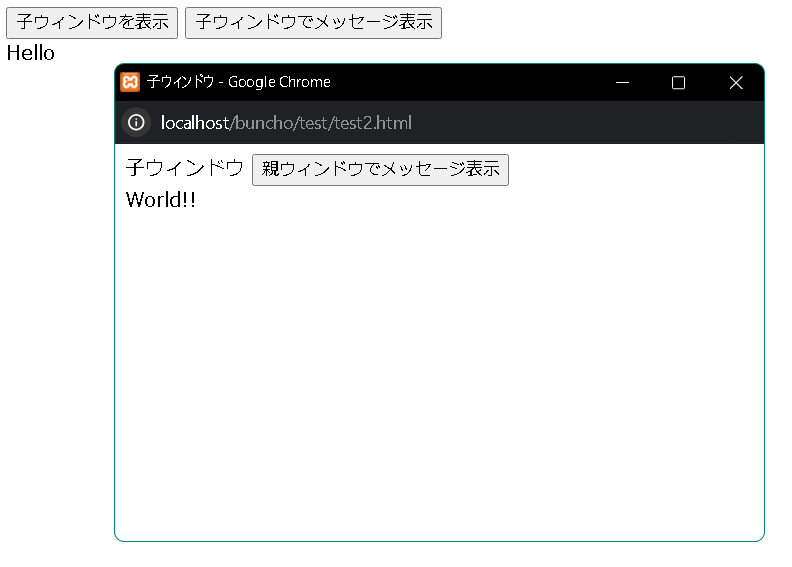
元の画面とダイアログでデータ連携してみます。ダイアログにはwindow.openの戻り値でアクセスし、 元の画面にはwindow.opener.でアクセスします。functionの呼び出しもできます。
test.html
<!DOCTYPE html>
<html>

<head>
  <meta charset="UTF-8">
  <title>JavaScriptのテストページ</title>
</head>

<body>
  <button onclick="show()">子ウィンドウを表示</button>
  <button onclick="msgChild()">子ウィンドウでメッセージ表示</button>
  <div id="parent"></div>
</body>

<script type="text/javascript">

  var win = null;

  function show() {

    win = window.open("./test2.html", "test", "popup");

    if (!win) {
      alert("ウィンドウ表示に失敗しました")
    }
  }

  function msgChild() {
    win.document.getElementById("child").innerHTML = "World!!";
  }

</script>

</html>
<!DOCTYPE html>
<html>

<head>
  <meta charset="UTF-8">
  <title>子ウィンドウ</title>
</head>

<body>
  子ウィンドウ

  <button onclick="msgParent()">親ウィンドウでメッセージ表示</button>
  <div id="child"></div>

</body>
<script type="text/javascript">

  function msgParent() {
    window.opener.document.getElementById("parent").innerHTML = "Hello";
  }

</script>

</html>
その他
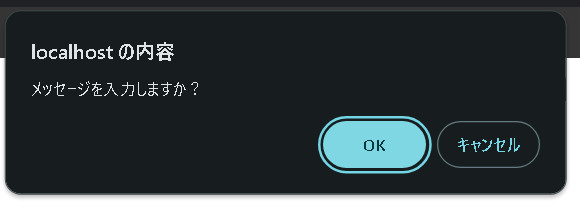
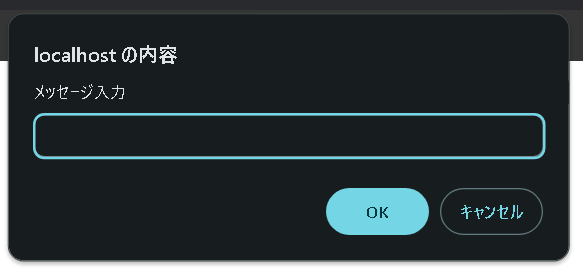
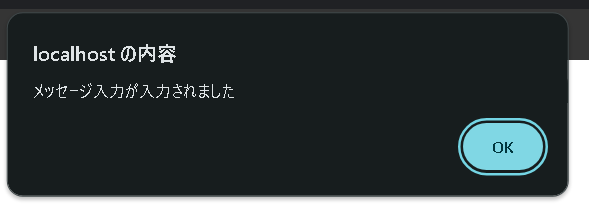
単純なダイアログであれば以下でできます。| メソッド | 説明 |
|---|---|
| alert | メッセージ表示 |
| confirm | 確認 |
| prompt | テキスト入力 |
<!DOCTYPE html>
<html>

<head>
  <meta charset="UTF-8">
  <title>JavaScriptのテストページ</title>
</head>

<body>
  <button onclick="show()">ダイアログ表示</button>
</body>

<script type="text/javascript">

  function show() {

	if (confirm("メッセージを入力しますか?")) {

	  let msg = prompt("メッセージ入力");
	  alert(msg + "が入力されました");
	}
  }

</script>

</html>
confirm
confirm
alert
ページのトップへ戻る